Landscapes drawn in type, alive behind your desktop.
Clairlune draws a new scene from a seed every hour, in crisp text glyphs, with live weather and an optional pixel-art Clawd behind your desktop icons.
scoop bucket add clairlune https://github.com/yam333/homebrew-clairlune
scoop install clairlunePer-user installer for Windows 10 and 11, no administrator rights needed.
curl -fsSL https://raw.githubusercontent.com/yam333/Clairlune/main/install.sh | shbrew install --cask yam333/clairlune/clairlunemacOS 13+ (Apple Silicon & Intel DMGs on Releases, and how to open it the first time).
cargo install clairlune       # desktop app (Windows & macOS, Rust 1.95+)
cargo install clairlune-cli # headless CLI (Windows, macOS & Linux, Rust 1.90+)On Linux, clairlune-cli renders identical PNG stills, looping GIFs, and scene packages.
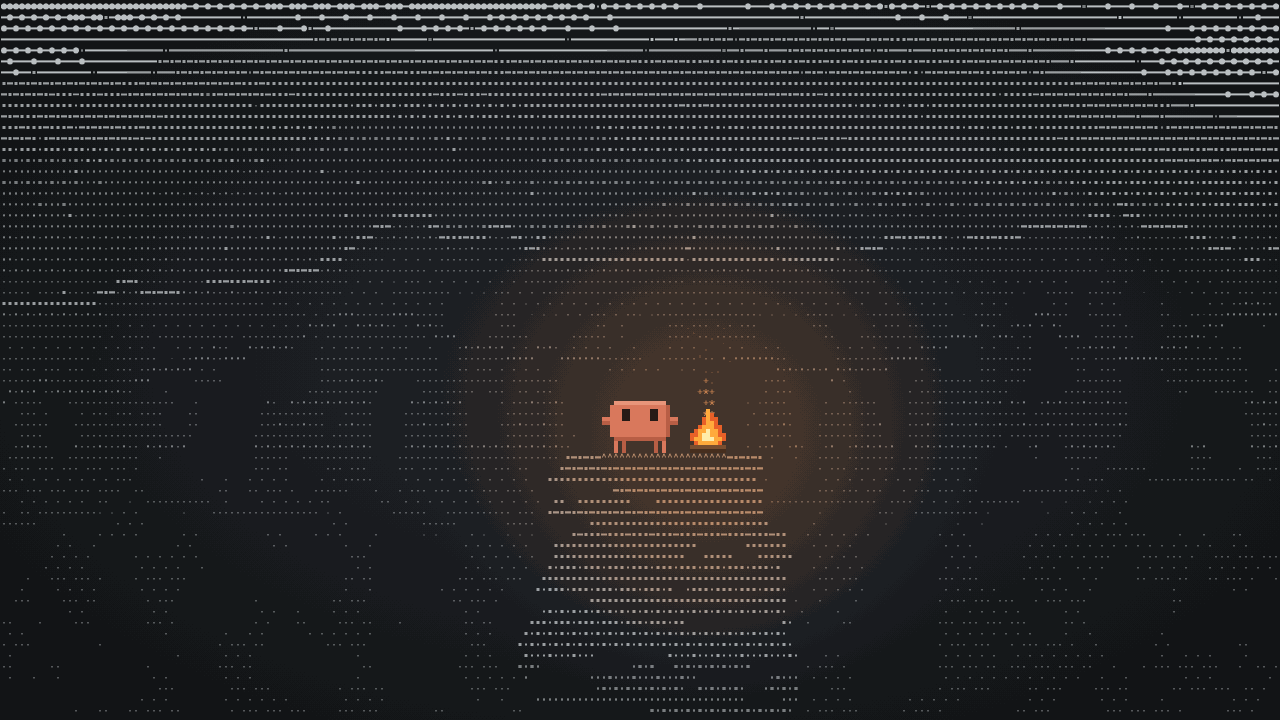
clairlune-cli generate --seed 7 --archetype mountains --activity warm_hands --theme dark
Byte-identical across CPUs
Glyphs rasterize from skrifa outlines using integer coverage and libm math. Seed 7 produces the exact same PNG bytes on Windows x64, Apple Silicon, and Linux.
Dirty-tile desktop presenter
Live mode copies only the small grid cells where embers, snow, or water moved, and pauses automatically behind full-screen windows, while locked, or on battery.
Per-display or spanned horizon
Give every monitor its own native-resolution scene and content rules, or align displays visually to span one continuous landscape across bezels and Retina scales.
Zero resident UI memory
Closing Settings drops the wgpu surface and device completely so the tray process idles cleanly. Configuration lives in plain, human-editable TOML files.
Every pixel is a palette index.
Colours are looked up, never blended, so stills, GIFs and the live desktop match colour for colour. Pick a palette or a letter set here and this whole page takes it, the scenes too.
Video description & audio note
A short reel of Clairlune scenes by night and by day: a lighthouse, a fjord, sky lanterns over a lake, rooftops in another palette, mountains drawn in blocks, a balloon journey, and the Settings window. The music is original and instrumental, with no speech.
Palette
Letters
Weather on this page
Off while your system asks for less motion.
It steps aside for your work.
Live plays only while you can see it. Maximize the window or lock the screen and the wallpaper rests. On a Mac the menu bar turns solid too. Drag the window around and try.
- Live
- Playing
- Menu bar
- See-through
Friday
- Seed for the meeting room screen
- Try Kanagawa after dark
- Water the fern
Planned around the day.
Let wallpapers rotate on a timer, pin favourites permanently, or map each part of the day on a 24-hour timeline.
Drag a mark to move a slot. Pick a slot to see it.
- Archive & Library
- Keep a rolling history of recent scenes alongside a permanent library searchable by title, biome, tag, or seed. Recall any wallpaper by pasting its seed.
- Weekly Timeline
- Assign specific library items, tag pools, or filtered random generators to time slots across each day of the week, with per-slot Live or Still overrides.
- Sun Schedule
- Switch between light and dark palettes with the OS, at fixed clock times, or at sunrise and sunset where you are.
Scriptable from the terminal.
clairlune-cli uses the same scene and render crates without loading any GUI toolkit, on Windows, macOS, and Linux. This one runs them in your browser: type a command.
# 4K indexed PNG from a deterministic seed
clairlune-cli generate --seed 7 --theme dark --size 3840x2160 --out wallpaper.png

# Seamless looping GIF for sharing
clairlune-cli gif --seed 7 --activity warm_hands --size 960x540 --out fire.gif

# Freeze a scene package (~0.5-1 MB at 4K) immune to generator updates
clairlune-cli package --seed 7 --size 1920x1080 --out scene7

# Render a multi-seed contact sheet to inspect variety
clairlune-cli contact-sheet --archetype shore --count 12 --out shores.png| Crate | Role |
|---|---|
| clairlune-scene | Pure seed-to-recipe-to-scene-graph pipeline, with no I/O or OS clocks. |
| clairlune-render | Deterministic skrifa glyph atlas, palette compositor, PNG/GIF, and scene packages. |
| clairlune-sprites | Aseprite sprite loader, pixel-art validator, and character rig. |
| clairlune-live | Incremental desktop playback behind icons. |
| clairlune-platform | Win32 & AppKit monitor geometry, wallpaper APIs, login items, and OS hooks. |
| clairlune-cli | Cross-platform command-line renderer and sprite previewer. |
| clairlune | System tray process and Moonglass egui + wgpu windows. |
Before you install.
The questions people ask first. Everything else is in the user guide.
01What is Clairlune?
A desktop app for Windows and macOS that puts a new landscape drawn in text characters on your wallpaper every hour, with Clawd doing something in it. Every scene comes from a seed, so the same seed always draws the same picture. It has nothing to do with Debussy's Clair de lune.
02Is Clairlune free?
Yes. It is free and open source under MIT or Apache-2.0, with no account, ads or purchases.
03Will it slow my computer down?
Live redraws only the parts of the scene that change. It pauses while an app fills the screen (maximized, zoomed or full screen), while the computer is locked, and on battery if you ask it to. Still frame sets one picture and costs nothing between changes. Settings > Live > Smoothness lowers the frame rate.
04Does it work with more than one monitor?
Yes. Each monitor gets its own scene at its own resolution, or one wide scene spreads across all of them (Settings > Display > Monitors).
05Does Clairlune run on Linux?
The desktop app is for Windows 10 and 11 and macOS 13 or later. On Linux, clairlune-cli renders the same scenes as PNG stills and GIFs (CLI reference).
06macOS says Clairlune can't be opened. What do I do?
Click Done (not Move to Trash), then Open Anyway at the bottom of System Settings > Privacy & Security, once. If there's no Open Anyway, or it says the app is damaged, install with the one-line Terminal installer instead (step by step).
07How do I get a wallpaper back?
Copy its seed in Settings and type it into Settings > Rotation > From a seed. A wallpaper still in the archive (the last week) or the library comes back exactly as it was.